AI assistant
You can ask the AI assistant any questions related to the service. It can:
- find information in the documentation;
- generate a report link with the necessary filters, groupings, and measures;
- suggest how to use the service more effectively.
How to use the AI assistant
-
Click the AI assistant button in the upper right corner — the chat window will open.
-
Select one of the available modes:
- Auto — The AI assistant will automatically select the appropriate mode.
- Documentation — Search for answers in the AppMetrica documentation.
- Reports — Build reports, analyze data, and provide brief insights based on AppMetrica report data.
- Thinking — Formulate hypotheses and search for ideas on given topics.
-
Ask a question and continue communicating with the AI assistant in the chat or choose one of the options:
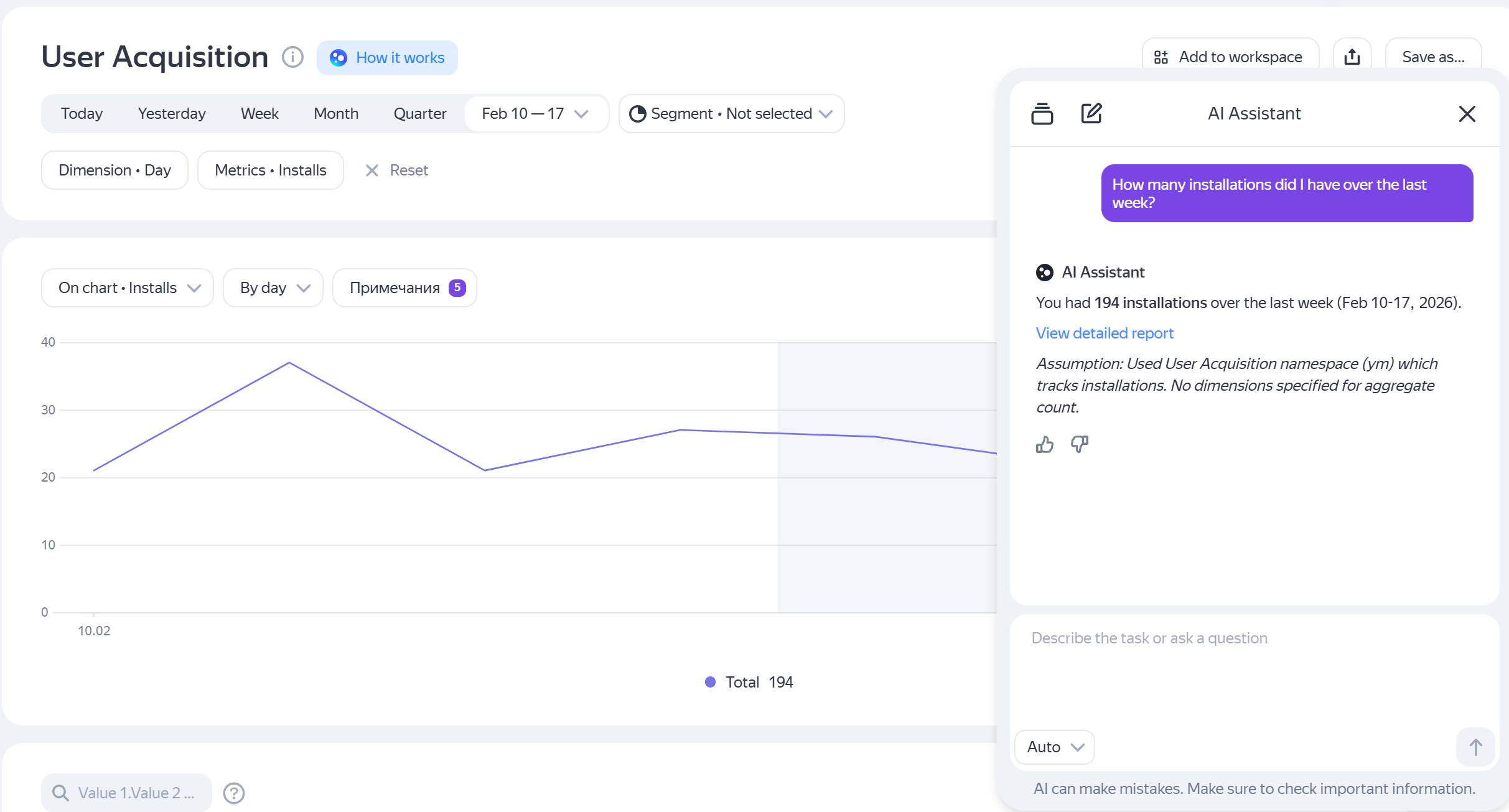
- How many installations have I had in the past week?
- How are things going in my app? — The AI assistant will provide a snapshot of the most important metrics based on your role: product manager, marketer, etc.
- How to see how much money my app earned yesterday?
- What's my retention on day 7?
Additional features
- To learn more about the AI assistant's capabilities, open it and click What I can do.
- In the reports section, a How it works button appears to the right of the report name. Click it to learn how the selected report works.
- If ECommerce events are not configured in the Ecommerce report, you will see a Why am I not seeing any data? button. Click it, and the AI assistant will explain how and why to mark up E-commerce data in AppMetrica.
Examples of questions
Here are some examples of questions you can ask the AI assistant:
- What is the current SDK version for Android?
- The AI assistant will show the current version and explain what recent updates are included in it.
- How many app installs were there in the last week? How much did I earn yesterday from in-app purchases?
- The AI assistant will generate a link to an appropriate report with the required measure and time period. You can follow the suggested link to continue exploring the data.
- How can I increase app monetization?
- The AI assistant will suggest hypotheses and ideas for discussion.
- How has the share of paying users changed over the last week?
- The AI assistant will show the change in the share of users who make in-app purchases each day.
- Retention for the last 30 days by countries
- The AI assistant will show Retention for the last 30 days broken down by countries.
If you didn't find the answer you were looking for, you can use the feedback form to submit your question. Please describe the problem in as much detail as possible. Attach a screenshot if possible.
Was the article helpful?
Previous
Next